
Home Courses & Kits Sketch-to-Code Academy
Think before you build.
Sketch-to-Code Academy
Access after approvalChecking availability…
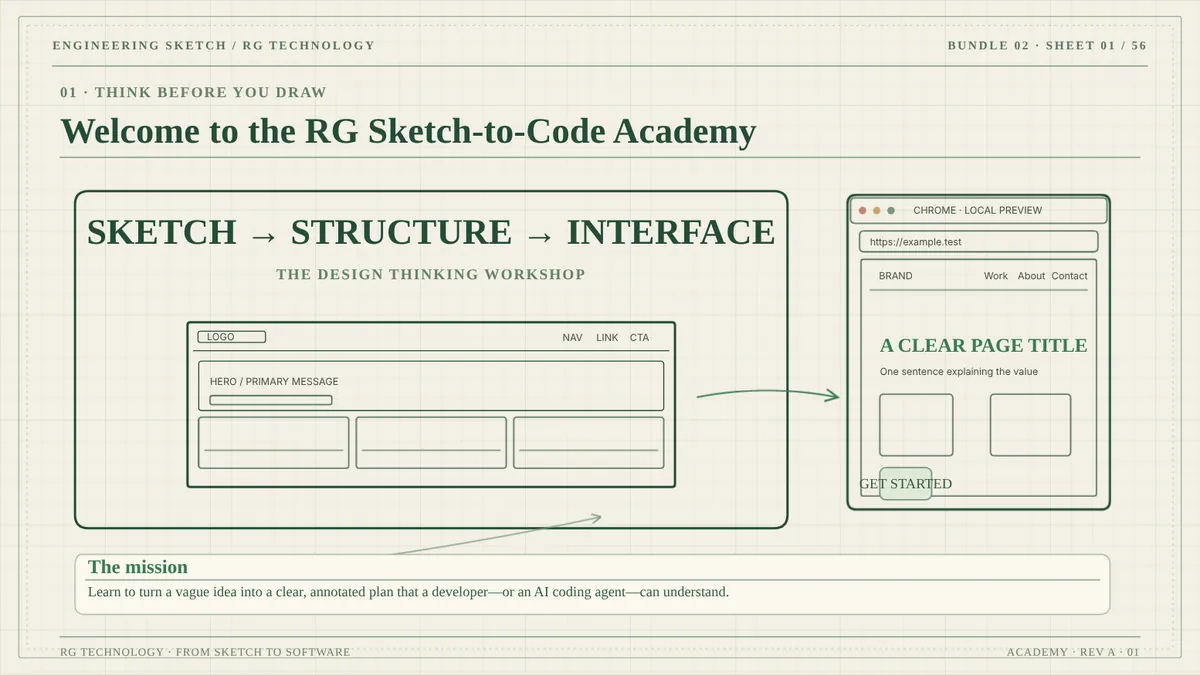
Turn a vague idea into a clear, annotated plan that a developer, or an AI coding agent, can build from: a brief, a sitemap, wireframes for every screen size, component states, motion and a final handoff.
The facts paid
- Price
- Shown at checkout when offered
- Difficulty
- To be announced
- Learning time
- To be announced
- Prerequisites
- To be announced
- Software needed
- None required
- The lesson
- 56 animated scenes, about 10 min 56 s of playback
What you will be able to do learning outcomes
- 1Tell the user interface from the user experience, and a wireframe from a mockup and a prototype.
- 2Turn an idea into a short design brief, a sitemap, a user flow and a page skeleton, using the twelve RG sketch sheets.
- 3Plan the parts of an interface (navigation, cards, forms, dashboards, modals, tabs and system states) and the same page at 1440, 768, 390 and 320 pixels.
- 4Plan motion with purpose: hover and button feedback, transitions, loading, scroll reveals, and a reduced-motion alternative.
- 5Finish with a complete design package and a handoff that a developer can build from.
Modules and lessons 6 modules, 56 scenes
Each lesson is one animated sketch scene. Open a module to see its scenes in order.
01Understanding visual planning8 scenes
- Welcome to the RG Sketch-to-Code Academy
- UI and UX · the interface and the experience
- Wireframe, mockup and prototype are different stages
- A design system keeps decisions consistent
- Hierarchy tells the eye what matters first
- Identify the user and the page’s single main goal
- Choose a layout by content—not by trend
- Balance usability and originality
02The 12 RG sketch sheets12 scenes
- IDEA SHEET
- SITEMAP
- USER FLOW
- PAGE SKELETON
- DESKTOP WIREFRAME
- MOBILE WIREFRAME
- COMPONENT ANATOMY
- VISUAL LANGUAGE
- SPACING MAP
- INTERACTION MAP
- MOTION STORYBOARD
- FINAL COMPARISON
03Designing interfaces12 scenes
- Navigation bars and hero sections
- Sidebars and footers · secondary navigation
- Cards and pricing tables
- Forms · labels, controls, help and validation
- Search interfaces and product listings
- Dashboards · group the information by decision
- Profile pages · identity, details and actions
- Login and registration screens
- Modals and dropdowns
- Tabs and accordions
- Notifications and system states
- The interface-design checklist
04Responsive design6 scenes
- Responsive design · one product, different screens
- Desktop wireframe · 1440 pixels
- Tablet wireframe · 768 pixels
- Mobile wireframe · 390 pixels
- Narrow mobile · 320 pixels and breakpoint decisions
- Responsive transformation map
05Animation & interaction design9 scenes
- Motion is part of the interface—not decoration
- Hover and button feedback
- Page transitions · show continuity between screens
- Scroll animations · reveal content as it enters view
- Loading indicators and menu opening
- Modal transitions and focus
- Card movement and image reveals
- Parallax and 3D-inspired layouts
- Micro-interactions and motion timing
06Sketch challenges & final project9 scenes
- Challenge 01 · Complete an unfinished website wireframe
- Challenge 02 · Redesign a weak interface
- Challenge 03 · Create an alternative mobile layout
- Challenge 04 · Design a dashboard
- Challenge 05 · Sketch an animated hero section
- Challenge 06 · Turn a business idea into a sitemap
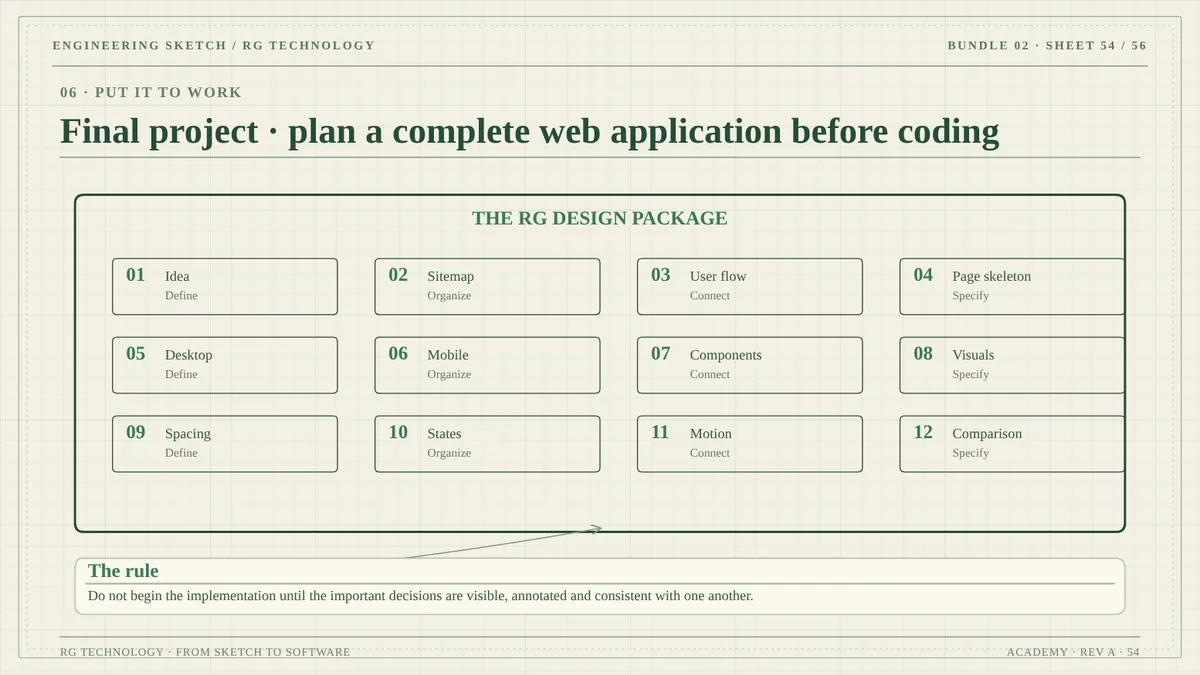
- Final project · plan a complete web application before coding
- Final project · the handoff to implementation
- Course complete · think like a designer before coding
A look inside three real sheets
These are sheets from the lesson itself, not mock-ups.
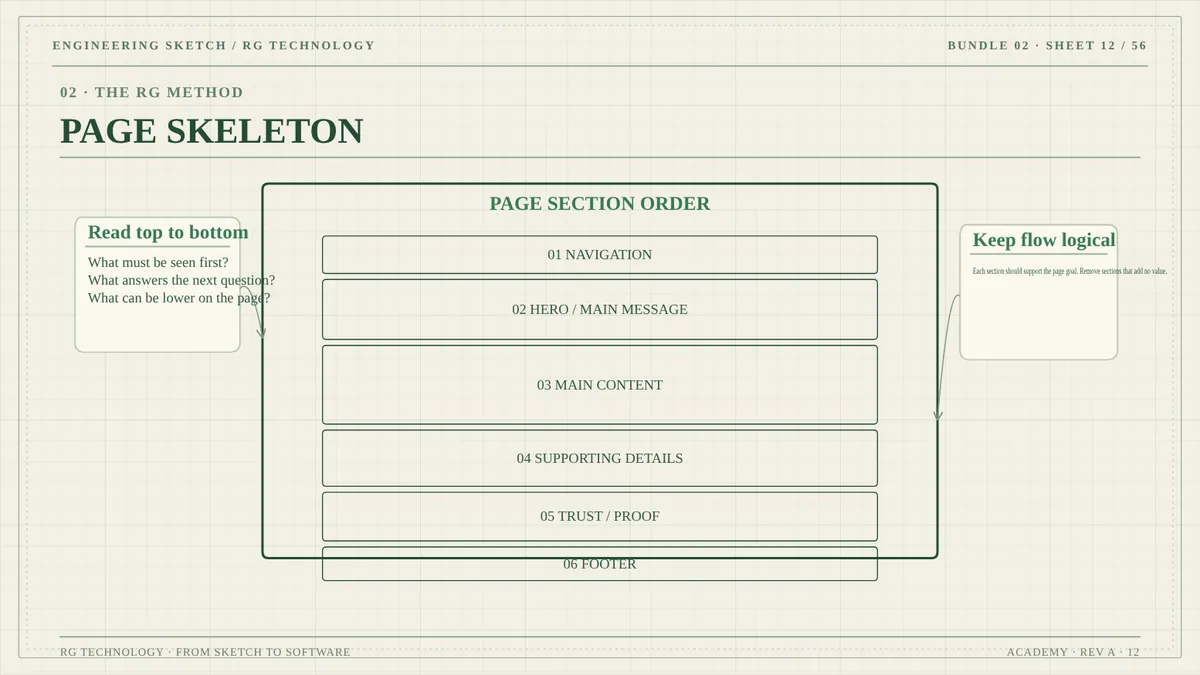
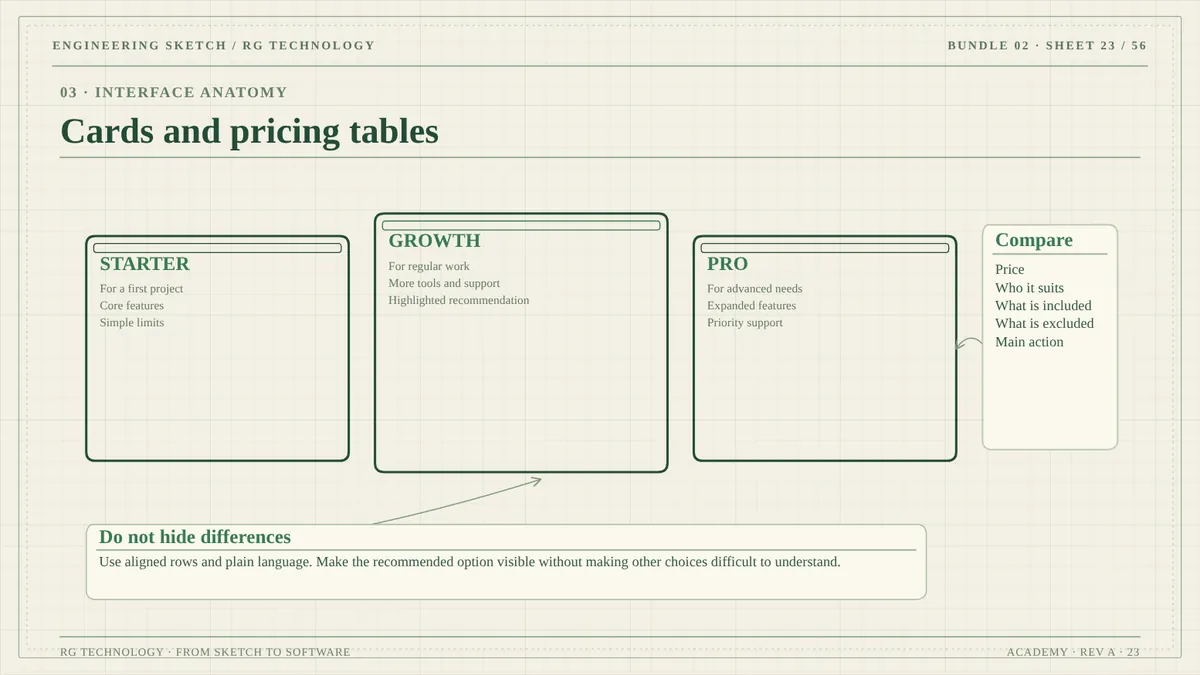
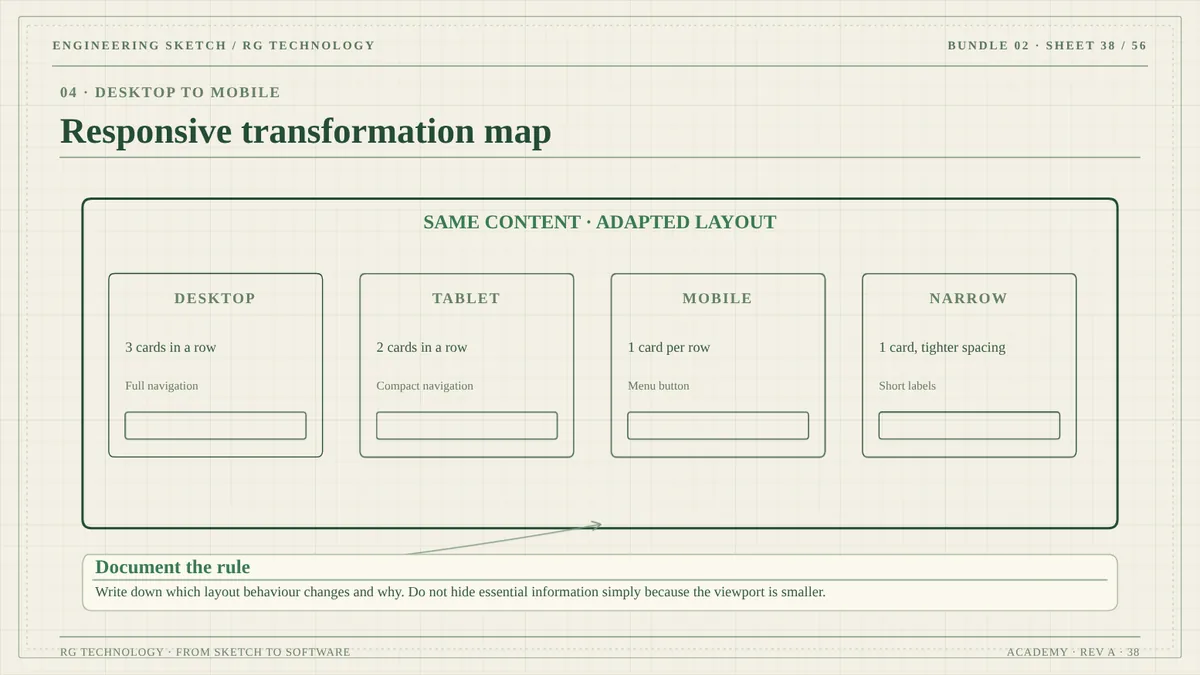
What you produce project preview
Six challenges, then a final project: plan a complete web application before coding. The result is the RG design package, twelve annotated sheets:
- The six challenges: complete an unfinished wireframe; redesign a weak interface; create an alternative mobile layout; design a dashboard; sketch an animated hero section; turn a business idea into a sitemap.
- The twelve sheets: idea, sitemap, user flow, page skeleton, desktop wireframe, mobile wireframe, component anatomy, visual language, spacing map, interaction map, motion storyboard and final comparison.
- The handoff: page goal and audience, structure and content, desktop and mobile layout, component states and spacing, motion and accessibility notes.
Requirements before you start
- Prerequisites. To be announced.
- Software. None required. The lessons run on their own. Figma, Smashing Magazine and two MDN guides are linked as optional references.
- The drawings in the lesson are explanatory reconstructions, not screenshots of a particular design application.
- The lesson’s last sheet points to the next step: building the planned interfaces in HTML, CSS and JavaScript.
Resources, exercises and solutions
The lesson is an animated sketch lesson you can pause, replay, slow down or speed up (0.75× to 2×), and drive from the keyboard. Downloadable sheets, exercises and solutions for this course have not been decided yet.
Questions FAQ
Do I need to draw well?
The sheets in the lesson are made of boxes, labels and arrows, not finished illustrations. The aim is a clear plan, not a beautiful picture.
Do I need a design program?
No. Figma and other tools are linked only as optional references.
Does the course teach coding?
No lesson in it is a coding lesson. It ends with a handoff to implementation. The catalogue lists RG Frontend Builder for building websites with HTML, CSS and JavaScript.
Is it for developers or designers?
The lessons speak to anyone who has to turn an idea into a screen. The page does not claim a level yet: difficulty is to be announced.
When can I buy it?
Only when this course is marked available, a real price is published, and checkout is enabled with verified CCP/BaridiMob instructions. Until then, no checkout is offered.
Access after approval
Private access after approval
Price: shown at checkout when offered.
Checkout opens only when this course is marked available, a real price is published, and checkout is enabled with verified CCP/BaridiMob instructions. Until then, no checkout is offered. At checkout, price and instructions appear. Uploading payment proof does not grant access. An administrator reviews it manually; private access requires a verified account and starts only after the transfer is approved. This page is a public preview.